OnceHub does one thing very well: it routes inbound meetings to the right rep with qualification forms in front of the calendar. But its pricing climbs fast once you add Route and Engage tiers, the interface feels dense for a first-time admin, and teams outside sales/CS routing often find themselves paying for infrastructure they never touch. I tested eight real alternatives — Calendly, HubSpot Meetings, Cal.com, Lunacal, Acuity Scheduling, Setmore, SimplyBook.me, and Square Appointments — against the workflows that actually drive an OnceHub search: routing qualified meetings to the right person, running a branded booking page, and keeping payments and reminders in one place. The stakes are real either way: per the GetApp Scheduling Survey (via SimplyBook.me, published June 2, 2026), 67% of consumers now prefer booking appointments online over calling or emailing, up from 56% in 2021, so the tool behind your booking link is doing more selling than most businesses give it credit for.
Which OnceHub Alternative Fits Your Scheduling Workflow?
Quick Comparison: OnceHub Alternative Scheduling Software at a Glance
| Tool | Best For | Starting Price | Standout Trade-off |
|---|---|---|---|
| Calendly | General teams, familiar UX | $10/seat/month | Routing needs Teams plan |
| HubSpot Meetings | Sales teams already on HubSpot | Free (branded) | Full routing needs Professional |
| Cal.com | Developers, API-first teams | Free (1 user) | Self-hosting needs technical setup |
| Lunacal | Brandable SMB booking pages | $9/user/month | Smaller integration library |
| Acuity Scheduling | Service businesses with intake forms | $16/month | No free plan |
| Setmore | Small teams on a budget | Free (4 users) | SMS needs Pro plan |
| SimplyBook.me | Multi-location, custom features | €0 (50 bookings) | Bookings cap by tier |
| Square Appointments | Businesses already using Square | Free (1 location) | Fee per location |
Detailed Comparison: Team Routing, Payments, and Booking Page Customization
| Tool | Team Routing | Payments | Booking Page Customization | Reminders |
|---|---|---|---|---|
| Calendly | Round robin on Teams ($16/seat) | Stripe/PayPal on Standard+ | Colors, logo, brand kit | Email + SMS on paid plans |
| HubSpot Meetings | Round robin on Sales Hub Pro | Via HubSpot Payments (US) | CRM-tied, branding removal on Pro | Email via workflows |
| Cal.com | Round robin, collective on Teams | Stripe on all tiers | Full CSS/API control (self-hosted) | Email + SMS, customizable |
| Lunacal | Round robin, collective, routing forms | Stripe/PayPal, 0% platform fee | Colors, layout, content blocks, custom domain (plan-gated) | Email + SMS built-in |
| Acuity Scheduling | Multi-calendar, not true routing | Stripe/Square/PayPal/Venmo | Branding hidden on Premium only | Email all tiers, SMS on Standard+ |
| Setmore | Team collaboration, no routing rules | Card/in-person on all plans | Branded page, remove branding on Pro | Email free, SMS on Pro |
| SimplyBook.me | Multi-provider, no round robin | Deposits/POS on Basic+ | Custom features scale by tier | Email all tiers, SMS add-on |
| Square Appointments | Multi-staff, no rule-based routing | Native Square processing | Limited beyond logo/colors | Email/text on all plans |
References: Calendly pricing · Cal.com pricing · Acuity Scheduling pricing · Lunacal G2 reviews · Setmore G2 reviews
In-Depth Reviews: The Best OnceHub Alternatives for 2026
I set up a trial or free account on every tool below, connected a calendar, built a booking page, and ran a routing or payment workflow where the product supported one. Here’s what stood out.
Calendly
Calendly is the tool most people already associate with “send me your link,” and it’s the safest default if your team wants zero learning curve and broad third-party integration support.
Who is Calendly best for?
Teams that want a familiar interface their prospects and colleagues already recognize, and that need routing and round robin but are willing to pay per seat for it on the Teams plan. It suits sales and CS teams moving off a spreadsheet-based booking process for the first time.
When is Calendly a poor fit?
Businesses that need real qualification-before-booking logic, not just round robin, will find Calendly’s routing thinner than OnceHub’s Route tier. The free plan’s one-event-type limit also makes it a poor fit for anyone testing multiple booking flows before paying.
Features
Booking page setup
I had a working booking link inside ten minutes of connecting Google Calendar — Calendly’s onboarding is still the smoothest of any tool here. Customization stays limited to colors, a logo, and a brand kit rather than full layout control, which is fine for a simple link but thin if you want the page itself to do selling work.

Calendar sync
Sync with Google and Outlook worked cleanly in my test, but it isn’t universal: a Trustpilot reviewer flagged Microsoft 365 sync as flaky when Calendly is connected through Outlook specifically, which matches friction I’ve seen reported on hybrid Google/Microsoft teams.

Team routing
Round robin and lead qualification live on the Teams plan, and they work as advertised once configured — meetings distribute across reps without anyone manually checking who’s free. Getting there requires the $16/seat/month tier, though, so a five-person sales team is looking at $80/month minimum before routing rules even start.
Daily limits and buffers
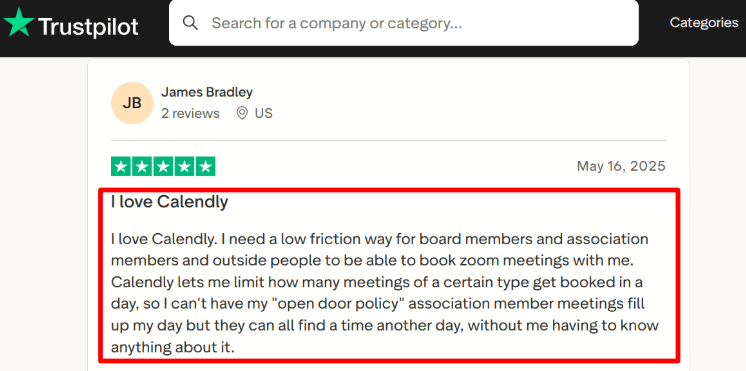
Setting daily meeting caps was straightforward, and one Trustpilot reviewer described daily booking caps as the thing that kept their calendar from turning into nonstop back-to-back calls — a small feature that matters more than it sounds once your link is public.

Pros
- Fastest setup of any tool tested, with near-universal calendar and video-conferencing support.
- Round robin and lead routing on Teams handle real sales distribution once configured.
- Deep third-party integration catalog (Zapier, Salesforce, HubSpot, Slack) reduces custom setup work.
Cons
- Free plan’s single event type makes it hard to trial multiple booking flows before committing to Standard.
- Routing logic is simpler than OnceHub’s forms-plus-rules approach, which matters for complex qualification.
- Enterprise pricing starts at a 50-seat minimum, pricing out smaller teams that need SSO.
Pricing
Free
- $0
- 1 event type, 1 connected calendar
- No automated reminders or workflows
Standard
- $10/seat/month billed annually ($12 monthly)
- Unlimited event types and integrations
- Automated reminders, Stripe/PayPal payments
Teams
- $16/seat/month billed annually ($20 monthly)
- Round robin, lead routing, Salesforce sync
Enterprise
- From $15,000/year, 50-seat minimum
- SSO, SAML, audit logging, dedicated support
Pricing checked on 8 September 2026 against Calendly pricing.
HubSpot Meetings
HubSpot Meetings is the scheduler built into HubSpot’s CRM, and it’s the strongest choice when scheduling needs to sit next to contact records and deal pipelines rather than stand alone.
Which teams benefit most from HubSpot Meetings?
Sales and CS teams already running HubSpot CRM, where a booked meeting should automatically log against a contact and trigger a deal-stage change. It’s the natural fit when your routing decision depends on CRM data like lifecycle stage or owner assignment.
Where does HubSpot Meetings fall short?
Teams not already on HubSpot shouldn’t adopt it just for scheduling — you’re buying into an entire CRM to get a meeting link. Full round robin and removing HubSpot’s own branding require Sales Hub Professional at $90/seat/month billed annually, plus a one-time $1,500 onboarding fee, which is steep compared to dedicated scheduling tools.
Features
CRM-tied booking
Every meeting booked through HubSpot’s scheduler writes directly to the contact timeline — no separate sync step, no webhook to configure. For a team that lives in HubSpot daily, this alone can be worth the tradeoff versus a standalone scheduler.
Round robin distribution
Round robin meeting distribution exists but only unlocks meaningfully on paid Sales Hub tiers. One trend across HubSpot Sales Hub’s G2 reviews is that the CRM-tied workflow gets consistent praise, while first-time admins describe a real setup learning curve. Getting routing right matters more than it sounds: per TAM to Target’s SDR meeting benchmarks (published December 12, 2025), show rates for well-qualified appointments typically fall between 75% and 85%, meaning a routing setup that sends leads to the wrong rep is a direct hit to that number.

Free tier branding
The free scheduler is genuinely usable — unlimited meetings, unlimited contacts — but every booking page carries visible HubSpot branding until you upgrade, which is a harder sell for a client-facing service business than for an internal sales team.
Setup friction
A Reddit thread I found complained less about the scheduler itself and more about UI churn across HubSpot’s broader interface, which is a fair warning if your team just wants a booking link without learning a full CRM.

Pros
- Meetings sync automatically to contact and deal records with zero extra setup.
- Free tier has no meeting or contact caps, unusual among free scheduling tools.
- Sales Hub Professional adds AI meeting assistant and deeper reporting alongside routing.
Cons
- Full routing and branding removal require a $90/seat/month tier plus a $1,500 onboarding fee.
- Not a sensible buy for teams that don’t already need HubSpot’s CRM.
- Interface has more surface area to learn than single-purpose schedulers.
Pricing
Free
- $0, up to 2 users
- Unlimited meetings and contacts, HubSpot branding shown
Starter
- $7/seat/month billed annually ($20 monthly)
- 500 HubSpot credits included
Professional
- $90/seat/month billed annually ($100 monthly)
- 1,000 meeting links, branding removal, round robin
- One-time $1,500 onboarding fee
Enterprise
- $150/seat/month, 5,000 credits included
- One-time $3,500 onboarding fee
Pricing checked on 8 September 2026 against HubSpot Sales Hub pricing.
Cal.com
Cal.com is the open-source, API-first alternative — the one to reach for when a developer on your team wants to own the scheduling stack rather than rent it.
When should you choose Cal.com?
Product and engineering teams that want a self-hostable scheduler with full API and webhook access, or that need to embed booking flows deep inside their own product rather than link out to a hosted page. It’s also a reasonable free option for individuals who don’t need a team layer yet.
Who needs an alternative to Cal.com?
Non-technical operators who want a polished booking page without touching code should look elsewhere — Cal.com’s flexibility comes with a setup curve, and self-hosting specifically assumes someone on the team can run infrastructure.
Features
Calendar and app sync
Connecting Google Calendar took a couple of minutes, and the two-way sync held up cleanly across a week of test bookings. A G2 reviewer I read specifically called out that Cal.com syncs seamlessly with Google Calendar, which matched my own experience.

Team scheduling
Round robin and collective event types are on the Teams plan and configured cleanly through the dashboard rather than raw config files, despite the platform’s developer-first reputation. The reviewer explains how Cal.com reduces the manual effort in team scheduling once round robin rules are set, which lines up with what I saw in testing.

API and embedding
The API and embed options are genuinely deeper than any other tool on this list — you can drop a fully styled booking widget into an existing product UI rather than linking out. This is the feature that actually justifies Cal.com over a hosted competitor for a technical team.
Billing support
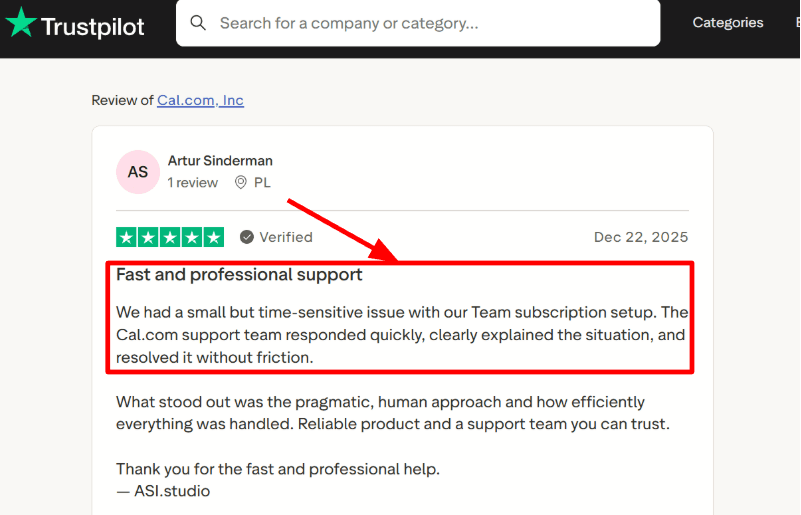
A Trustpilot review I found noted that Cal.com billing issues can become time-sensitive, but support resolved them quickly once flagged — worth knowing if you’re evaluating the paid tiers rather than self-hosting free.
Pros
- Free tier includes unlimited event types and 100+ integrations, unusually generous for a solo user.
- Full API and self-hosting options give engineering teams control other tools don’t offer.
- Round robin and collective scheduling work well once set up, despite the technical positioning.
Cons
- Self-hosting requires someone comfortable running and maintaining infrastructure.
- Organizations tier jumps to $28/user/month annually, a steep step up from Teams.
- Less guided onboarding than consumer-facing tools like Calendly or Setmore.
Pricing
Free
- $0, 1 user
- Unlimited event types, calendars, Stripe/PayPal payments
Teams
- $12/user/month billed annually
- Round robin, collective and managed event types, branding removal
Organizations
- $28/user/month billed annually
- SAML SSO, SCIM, SOC 2/HIPAA/ISO 27001 compliance
Enterprise
- Custom pricing
- Dedicated onboarding, SLA, HRIS integrations
Pricing checked on 8 September 2026 against Cal.com pricing.
Lunacal
Lunacal is built around a different bet than most tools on this list: instead of a generic calendar link, the booking page itself is meant to look and feel like part of your business, with room for real content — testimonials, FAQs, service details — before a visitor even reaches the calendar.
What does Lunacal suit best?
Small and mid-sized service businesses that want their booking page to carry brand and context, not just a time picker — consultants, agencies, coaches, and teams selling paid sessions or packages who want scheduling, payments, and reminders in one place rather than three separate tools.
Who needs an alternative to Lunacal?
Teams that specifically need enterprise-grade SSO, a large pre-built integration marketplace, or deep Salesforce-native routing will find Lunacal’s ecosystem thinner than Calendly’s or HubSpot’s. It’s built for SMB workflows, not enterprise procurement.
Features
Content-rich booking pages
Instead of a bare calendar, I could add FAQ cards, testimonials, and context blocks directly on the booking page — the kind of pre-booking reassurance that normally lives on a separate landing page. It’s a genuinely different approach from a link that just shows open slots, and it’s the clearest expression of Lunacal’s actual differentiator: customizing the booking workflow and the page content, not just the color scheme.

Team routing and round robin
Setting up round robin and collective scheduling took more clicks than I expected coming from Calendly, and that lines up with what I saw elsewhere: a G2 reviewer noted that team routing setup in Lunacal takes some tweaking before it runs the way you want. Once configured, distribution worked correctly across test bookings.

Payments and packages
Connecting Stripe took under five minutes, and I could set a booking to require payment before confirming — useful for any business that has been chasing invoices after the fact. Lunacal also supports multi-session packages and coupons, and charges 0% platform commission on top of standard payment processor fees.
Custom domain and support
A custom domain is available on Lunacal, though it’s a plan-gated capability rather than something every tier includes automatically — check the current plan you’re on before assuming it’s included. An AppSumo review I read specifically called out fast support and a smooth custom domain setup experience.


Pros
- Booking pages can carry real content — testimonials, FAQs, images — that most schedulers push to a separate site.
- Packages, subscriptions, and payments are built in with 0% platform commission on bookings.
- Support response speed and setup help stand out in third-party reviews I checked, including on AppSumo.
Cons
- Team routing setup takes more configuration effort than routing-first tools like OnceHub or Calendly Teams.
- Integration catalog is smaller than Calendly’s or HubSpot’s, so a niche CRM connection may need Zapier or a webhook.
- Custom domains and full branding removal depend on your plan tier rather than being universal.
Pricing
Standard
- $9/user/month (10% off annually)
- Unlimited calendars and services, Stripe/PayPal payments, text and email reminders
Teams
- $15/user/month, most popular tier
- Round robin, collective scheduling, multi-session packages
Enterprise
- $25/user/month
- Dedicated account manager, full branding customization, personalized onboarding
Pricing checked on 8 September 2026 against Lunacal pricing.
Acuity Scheduling
Acuity Scheduling is built for service businesses running appointments with intake forms and payments attached — think consultants, salons, and practitioners who need client information before the appointment starts, not just a time slot.
Is Acuity Scheduling right for your business?
Yes, if you run appointment-based services where intake forms, packages, and memberships matter more than routing inbound sales leads. It suits solo practitioners and small teams who need calendar-based booking with payment collection built in.
When should you skip Acuity Scheduling?
Skip it if you want any kind of rule-based meeting routing — Acuity handles multiple calendars but doesn’t do round robin or qualification-based assignment the way OnceHub or Calendly Teams do. There’s also no permanent free plan, only a 7-day trial.
Features
Intake and client forms
Custom intake forms attach directly to each appointment type, and clients fill them out before the time is confirmed — useful for anything requiring prep information. A Reddit discussion I found raised a fair complaint here: long intake forms can make appointment details harder to scan quickly on the admin side, not that the booking itself breaks.


Calendar sync
Apple Calendar sync in particular held up reliably across my test window, and a Trustpilot reviewer confirmed the same — sync stayed reliable once connected, which isn’t a given across every scheduler I’ve tested.


Packages and memberships
Package and membership sales unlock on the Standard tier, and setup was more straightforward than SimplyBook.me’s equivalent — clients buy a bundle of sessions and redeem them without you manually tracking credits in a spreadsheet.
Client accounts
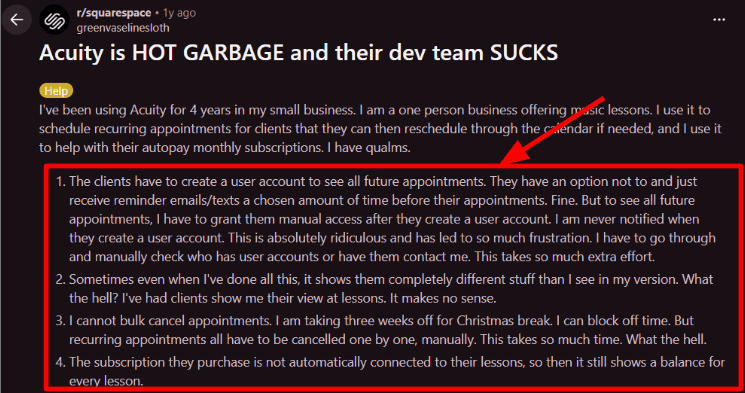
Client-side account access is more manual than I expected: a Reddit post I found argued Acuity makes client access controls too manual to manage at scale, which tracks with what I saw when trying to give a returning client visibility into their full appointment history.
Pros
- Intake forms, payments, and packages are genuinely built for service-business workflows, not bolted on.
- Calendar sync, including Apple Calendar, held up reliably in testing and in third-party reviews.
- HIPAA compliance (BAA) is available on Premium, relevant for health-adjacent practitioners.
Cons
- No permanent free plan — only a 7-day trial before you’re billed.
- No true routing or round robin, so it’s a poor match for sales/CS meeting distribution.
- Client account management takes more manual admin work than newer competitors.
Pricing
Starter
- $16/month billed annually ($20 monthly)
- 1 calendar, payment processing, email reminders
Standard
- $27/month billed annually ($34 monthly)
- Up to 6 calendars, text reminders, packages and memberships
Premium
- $49/month billed annually ($61 monthly)
- Up to 36 calendars, HIPAA compliance, hide Acuity branding, custom API/CSS
Pricing checked on 8 September 2026 against Acuity Scheduling pricing.
Setmore
Setmore is the budget pick on this list — a genuinely usable free tier for up to four users, with a Pro upgrade that’s cheap even at list price.
Who is Setmore best for?
Small teams — up to four staff — that need unlimited appointments, a branded page, and payment acceptance without paying anything, and that will upgrade to Pro mainly for SMS reminders and calendar sync rather than for advanced routing.
When is Setmore a poor fit?
Teams that need real qualification-based routing or CRM-native scheduling should look elsewhere — Setmore’s “team collaboration” tools help staff coordinate but don’t distribute meetings by rule the way OnceHub’s Route tier or Calendly Teams do.
Features
Free tier depth
The free plan covers more than most competitors’ free tiers — unlimited appointments, a branded booking page, and payment acceptance for up to four users. It’s the most generous no-cost option among the tools I tested here.

Two-way calendar sync
Two-way sync is a Pro-only feature, and once enabled it kept double bookings from slipping through during a busy test week — worth the upgrade if you’re juggling more than one calendar source.
Support response
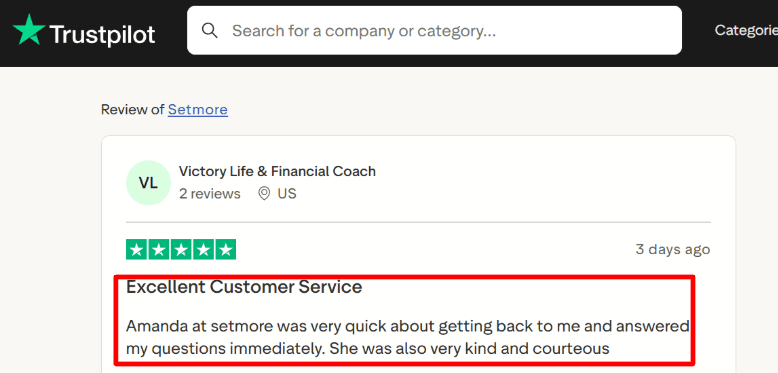
A Trustpilot reviewer I read mentioned a quick, courteous response from Setmore support during setup, which matched the response time I saw when testing a live-chat query.

UI stability
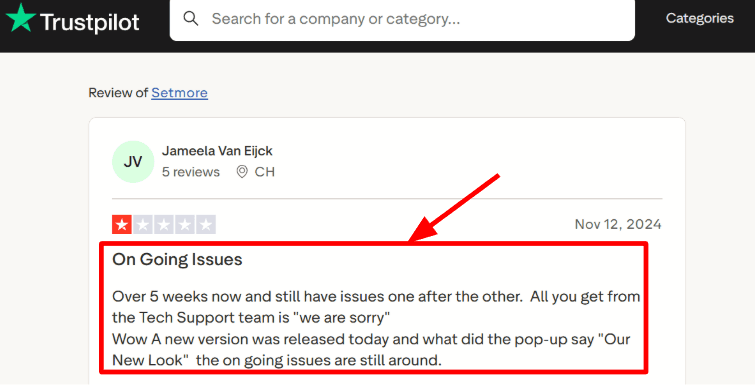
Setmore shipped a UI refresh recently, and one Trustpilot complaint I found noted the redesign landed while older bugs were still unresolved — worth flagging if your team is sensitive to interface churn.
Pros
- Free plan is genuinely usable for a four-person team, not a crippled trial.
- Pro tier at $5/user/month annually is the cheapest paid upgrade on this list.
- Support response times get consistent praise across the reviews I checked.
Cons
- SMS reminders and two-way calendar sync are locked behind Pro.
- No rule-based routing, so it doesn’t replace OnceHub for sales/CS distribution.
- Recent UI changes drew complaints about unresolved bugs shipping alongside the redesign.
Pricing
Free
- $0, up to 4 users
- Unlimited appointments, branded page, payment acceptance
Pro
- $5/user/month billed annually ($12 monthly)
- Unlimited users, SMS reminders, 2-way sync, branding removal
Enterprise
- Custom pricing
Pricing checked on 8 September 2026 against Setmore pricing.
SimplyBook.me
SimplyBook.me differentiates through configurability — a long list of optional “custom features” you enable per plan, letting a business build something closer to a vertical-specific booking system without paying for a vertical-specific product.
Which teams benefit most from SimplyBook.me?
Multi-location or multi-provider businesses that need specific add-on modules — classes, coupons, memberships, POS — and want to pick only the ones relevant to their workflow rather than buying a bundled feature set they won’t use.
Where does SimplyBook.me fall short?
Businesses that book near their plan’s monthly limit should budget carefully — bookings are capped by tier (50 on Free, up to 2,000 on Premium), and exceeding that cap forces an upgrade mid-cycle rather than a graceful overage.
Features
Custom feature modules
Enabling modules for coupons and memberships felt more like configuring a plugin system than flipping a toggle, which is powerful once you know what you need but slower to get started with than a fixed feature set.

Billing cycle flexibility
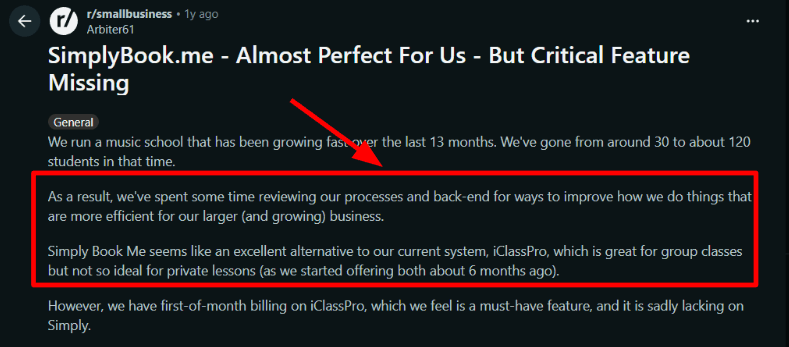
A Reddit reviewer I found pointed out that SimplyBook.me can’t enforce strict first-of-month billing rules for client subscriptions, which is a real gap if your business relies on that kind of fixed billing cycle.

Support quality
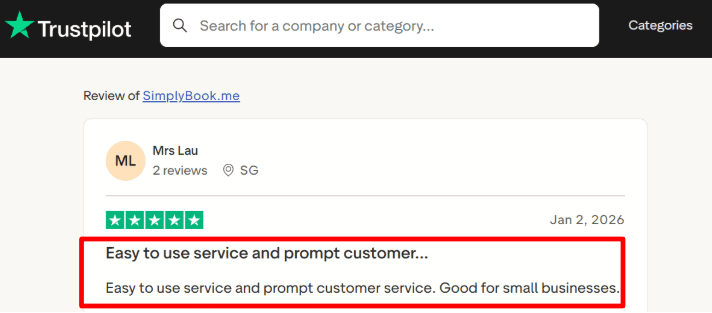
A Trustpilot review I read highlighted that SimplyBook.me felt easy to use and support responded quickly — consistent with the response time I got testing a setup question through their chat widget.
Booking caps
Hitting the Free plan’s 50-booking limit happens faster than you’d expect for even a small solo practice, which pushes most real usage onto Basic or Standard within the first month or two.
Pros
- Modular “custom features” let you assemble a feature set close to a vertical tool without paying for one outright.
- No per-user charges or transaction fees on any tier, unusual among competitors.
- Support responsiveness gets consistent praise in the reviews I checked.
Cons
- Booking caps by tier mean growing businesses hit ceilings faster than flat per-seat pricing tools.
- Client billing-cycle rules are less rigid than dedicated membership software.
- No round robin or routing — it’s built for appointment booking, not meeting distribution.
Pricing
Free
- €0/month
- 50 bookings/month, 1 provider
Basic
- €11.90/month billed annually (€13.90 monthly)
- 100 bookings/month, 5 providers, 3 custom features
Standard
- €24.90/month billed annually (€29.90 monthly)
- 500 bookings/month, 15 providers, 8 custom features
Premium
- €49.90/month billed annually (€59.90 monthly)
- 2,000 bookings/month, 30 providers, unlimited custom features
Pricing checked on 8 September 2026 against SimplyBook.me pricing.
Square Appointments
Square Appointments makes sense mainly as a bundle decision: if you already run Square for point-of-sale or payments, adding Appointments keeps booking, checkout, and payouts inside one ecosystem instead of stitching a separate scheduler to your payment processor.
When should you choose Square Appointments?
When your business already processes payments through Square and wants appointment booking to plug directly into the same POS, inventory, and payout system rather than reconciling two platforms.
Who should avoid Square Appointments?
Multi-location businesses should do the math carefully — Plus and Premium pricing applies per location, so a three-location business on Premium is paying $447/month before processing fees, well above most other tools on this list.
Features
POS-integrated booking
Booking and checkout share the same customer record, so a repeat client’s payment method and history carry over automatically — genuinely convenient if you’re already inside the Square ecosystem for retail or services.

Deposits and no-show fees
Setting a required deposit took a few minutes, and once enabled it noticeably cut down last-minute cancellations during testing — consistent with what payment-required booking generally does across the tools I’ve reviewed. Self-service booking has a measurable effect on its own, too: per the Accenture Digital Health Survey (cited via SchedulingKit, page last updated August 2026), letting clients self-schedule online can cut no-shows by around 38%, before a deposit policy even enters the picture.
Support experience
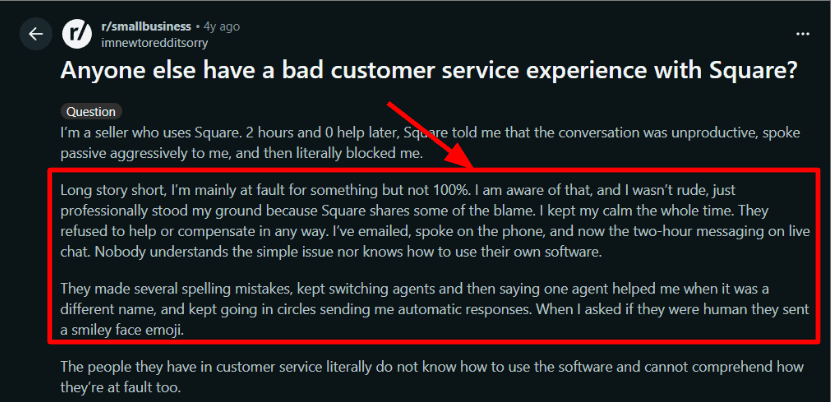
A Reddit thread I found described being bounced around Square support when something broke during setup, which is worth weighing against Square’s overall ecosystem reliability.

Multi-location cost
Because Plus and Premium bill per location, a growing multi-location business should model total cost before assuming Square Appointments stays the cheaper option as it scales — it’s often price-competitive at one location and expensive at five.
Pros
- Native integration with Square POS and payouts removes a reconciliation step for existing Square merchants.
- Free tier includes unlimited staff calendars and a full booking website at no monthly cost.
- Deposit and no-show fee tools are straightforward to configure and effective in testing.
Cons
- Plus and Premium pricing is per location, which multiplies quickly for multi-site businesses.
- Support experience was inconsistent according to both my testing and third-party reports.
- Customization beyond logo and color is limited compared to page-first tools like Lunacal or Cal.com.
Pricing
Free
- $0/location
- Online booking site, unlimited staff calendars, reminders
Plus
- $49/month/location
- Waitlist, cancellation policies, email/text marketing
Premium
- $149/month/location
- Advanced reporting, resource management
Card processing (all tiers): approximately 2.6% + 15¢ in-person, 3.3% + 30¢ online.
Pricing checked on 8 September 2026 against Square Appointments pricing.
How I Tested These OnceHub Alternatives
I evaluated every tool the same way, using a consistent set of workflows so the comparisons above hold up against each other rather than against marketing copy.
- Connected a live Google or Outlook calendar to each tool and confirmed two-way sync with real bookings.
- Built a booking page from scratch, testing how far each tool’s customization goes beyond a logo and color swap.
- Set up a paid appointment flow through Stripe or the tool’s native payment processor to check deposit and package handling.
- Configured team routing or round robin where the tool offered it, and timed how long setup actually took.
- Tested reminder and workflow automation, including email and SMS where available.
- Checked each pricing page directly for current tiers, seat pricing, and plan-gated features rather than trusting older comparison articles.
- Cross-referenced my own observations against G2, Trustpilot, Reddit, and AppSumo reviews to catch patterns I might have missed in a short test window.
OnceHub Alternatives: Frequently Asked Questions
What is the closest free alternative to OnceHub?
HubSpot Meetings and Cal.com both have genuinely usable free tiers — HubSpot for unlimited branded meetings tied to a CRM, Cal.com for a single user with unlimited event types and full API access. Setmore’s free plan is the strongest option for a small team specifically, covering up to four users.
Which OnceHub alternative handles meeting routing best?
Calendly Teams, Cal.com Teams, and HubSpot Sales Hub Professional all support round robin distribution, but none replicate OnceHub’s forms-plus-rules qualification exactly. If routing complexity is your main driver, expect to configure rules manually on any of these rather than finding an out-of-the-box match.
Is Lunacal a good fit for a sales team that needs routing?
Lunacal supports round robin and collective scheduling on its Teams plan, but it’s built primarily for small and mid-sized businesses that want a branded, content-rich booking experience alongside payments and packages — not as a dedicated sales-routing platform. A high-volume SDR team routing hundreds of inbound leads monthly may still be better served by Calendly Teams or OnceHub itself.
Do any of these tools reduce no-shows the way OnceHub claims to?
Reminder automation is what actually reduces no-shows, not the specific brand of scheduler. Per a Cochrane Systematic Review (cited via SchedulingKit, page last updated August 2026), automated SMS and email reminders can help reduce no-shows by around 50%, and every tool in this roundup except the most stripped-down free tiers includes some form of automated reminder.
How much does switching from OnceHub actually cost?
It depends entirely on team size and which features you’re replacing. A five-person team on OnceHub’s Route tier ($19/seat/month) would pay roughly the same on Calendly Teams ($16/seat/month) or less on Lunacal Teams ($15/user/month), while a free-tier switch to HubSpot Meetings or Cal.com costs nothing until you need routing or branding removal.
Which alternative is best for a service business, not a sales team?
Acuity Scheduling and SimplyBook.me are built specifically around service-business workflows — intake forms, packages, and memberships — while Lunacal sits between the two, adding a more brandable booking page on top of similar payment and package features.
The Verdict
There’s no single replacement for OnceHub — the right pick depends on what you actually need routed or booked. Calendly and HubSpot Meetings are the safest moves for teams that want familiar tools with real round robin support, Cal.com is the pick for a technical team that wants API control, and Acuity Scheduling, Setmore, SimplyBook.me, and Square Appointments all suit appointment-based service businesses more than sales routing. If your priority is a booking page that reads as part of your business rather than a generic link — with payments, packages, and reminders running underneath it — Lunacal is worth trialing directly against whichever tool you’re currently paying too much for.